
How to Write Auction Descriptions from Photos with aListEngine
Use aListEngine to create an editable auction description from lot photos, review it beside the images, and prepare the lot for export.
In this article
aListEngine turns lot photos into a title and description that your team can edit. You get a useful starting point instead of writing every listing from a blank page, while keeping control of the final wording.
1. Add the lot photos
For a single item, open the sale folder and choose New Listing, then Add Photos. If the listing already exists, open it instead. Include a clear overall view, maker’s marks or labels, included pieces, and any visible wear or damage. Keep only the photos that belong to that lot.
Working with a whole batch? First group the photos and split the import into listings, then open a created listing.
Good photos give aListEngine better information to work from. They also make the next review easier because the images stay beside the listing details.
2. Create the first draft
If the listing does not yet have a description, choose Save and Analyze. If a description is already there, go straight to the review below. aListEngine uses the lot photos and details to prepare a title and description. Both remain editable.
This first draft handles the basic writing so your cataloger can concentrate on the facts that matter to bidders. It should still be checked before the lot is finished.
3. Review the words beside the photos
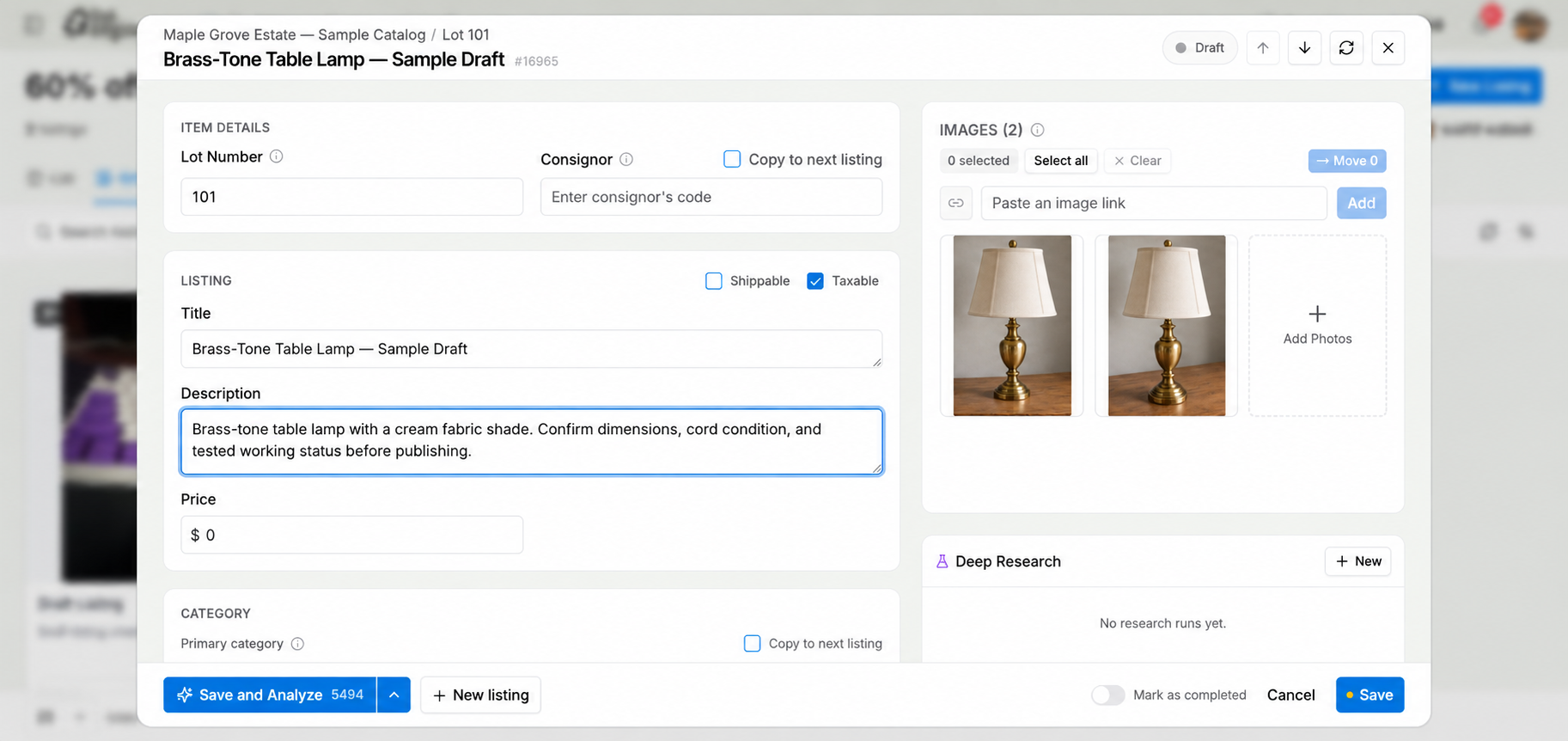
Review the title and description beside the lot photos.
Check the item name, maker, model, material, included pieces, condition, and testing status. Remove anything the photos or your notes do not support. Add measurements or inspection notes when they will help a bidder.
For example, a careful description for the sample lamp could read:
Table lamp with a brass-tone base and cream fabric shade. Maker, age, and working condition have not been verified.
Click into the title or description to change any part of the draft. Replace reminders such as “confirm dimensions” with the measurements you checked, or remove the reminder before export. Those are instructions for your team, not a finished description for bidders.
4. Save and export
Save the reviewed listing, then repeat the check for the remaining lots. When the catalog is ready, use aListEngine’s export options to prepare it for your auction platform.
The result is a simpler cataloging flow: add photos, create a draft, check the details, and export the finished work.
Explore aListEngine for auctioneers and start building descriptions from your lot photos.