
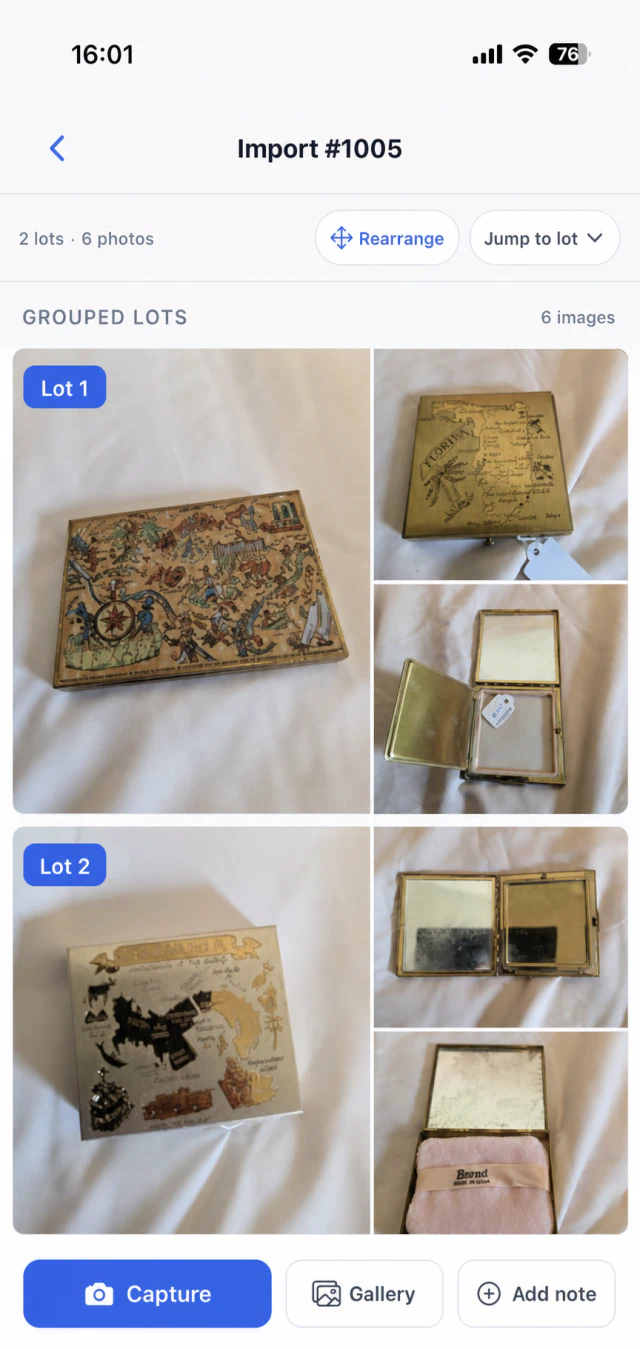

From field capture to a review-ready workspace
ListEngine keeps the intake workflow moving on your device, then hands the organized batch to the web workspace when a connection is ready.
-
Step 01
Capture without stopping
Create or open a folder, take camera photos, or select existing photos from your gallery. Files and changes persist locally so intake can continue when the connection drops.
- Camera or gallery intake
- Offline-first local persistence
- Folders available in the field
-
Step 02
Refine every lot on the spot
Return to any lot to add more camera or gallery photos, edit an individual image, rearrange the sequence, or correct the lot number. Keep text and voice notes with the lot while the details are still in front of you.
- Add camera or gallery photos to an existing lot
- Crop, rotate, flip, or add text to any photo
- Rearrange photos or start a new lot at any image
- Edit lot numbers and remove unwanted photos
- Add, review, and play back text or voice notes
-
Step 03
Sync when the connection is ready
Sync manually or automatically, choose whether mobile data can be used, and see what is pending, complete, or needs another attempt. Recovered uploads continue into the same workspace batch.
- Automatic or manual sync
- Wi-Fi and mobile-data controls
- Visible status, retry, and recovery
- Handoff to AI drafting, review, and export
Keep cataloging when the signal drops
Warehouses, rural properties, and crowded sale sites do not always have dependable service. ListEngine keeps your intake on the device until you are ready to sync.
- Create and open intake folders without a reliable connection
- Save captured photos to the device as you work
- Keep photo edits, lot numbers, photo groups, and notes together
- Resume syncing when service returns
- 01
Download ListEngine from the App Store or Google Play.
- 02
Sign in with the account your team uses for aListEngine.
- 03
Open a folder and start capturing lots.
Direct Android APK
For managed Android devices or installs outside Google Play, download the current package directly. Android may ask you to allow installs from your browser.
Download Android APKMobile app FAQ
Which devices support ListEngine?
ListEngine is available for iPhone through the App Store and for Android through Google Play. An optional direct APK is also available for managed Android devices or installs outside Google Play.
Can I use ListEngine without an internet connection?
Yes. You can capture photos and keep lot numbers, photo groups, and notes on the device when service is unavailable. Sync resumes when you have a connection.
Do I need a separate mobile account?
No. Sign in with the same account your team uses for the aListEngine web workspace.
How does mobile sync work?
You can sync manually or automatically and control whether uploads use Wi-Fi only or mobile data. The app shows pending, completed, retry, and recovery status before handing the batch to your web workspace.
Is the mobile app included with my plan?
Yes. ListEngine mobile is included with every aListEngine plan.