
Turn every haul into an organized listing queue.
aListEngine drafts titles, descriptions, condition notes, item details, and pricing guidance from photos, then keeps the work together until you are ready to export.

Keep every sourcing batch organized and every listing consistent.
Pricing guidance
Start with an AI-suggested price, estimate range, reasoning, and confidence based on the photos and model knowledge. It is not live market data.
Inventory workspaces
Give every haul, channel, or inventory group its own folder so drafts, collaborators, and exports stay together.
Consistent listing controls
Set organization or folder instructions, analysis depth, description length, and auction or retail pricing strategy.
How it works
A clear path through the batch.
Bring in a sourcing batch, turn each item into a reviewable draft, and hand the finished listing files off to a supported destination.
-
Step 01
Bring in the haul
Photograph items as you source or upload a batch later. Organize the photos into separate item drafts inside one folder.
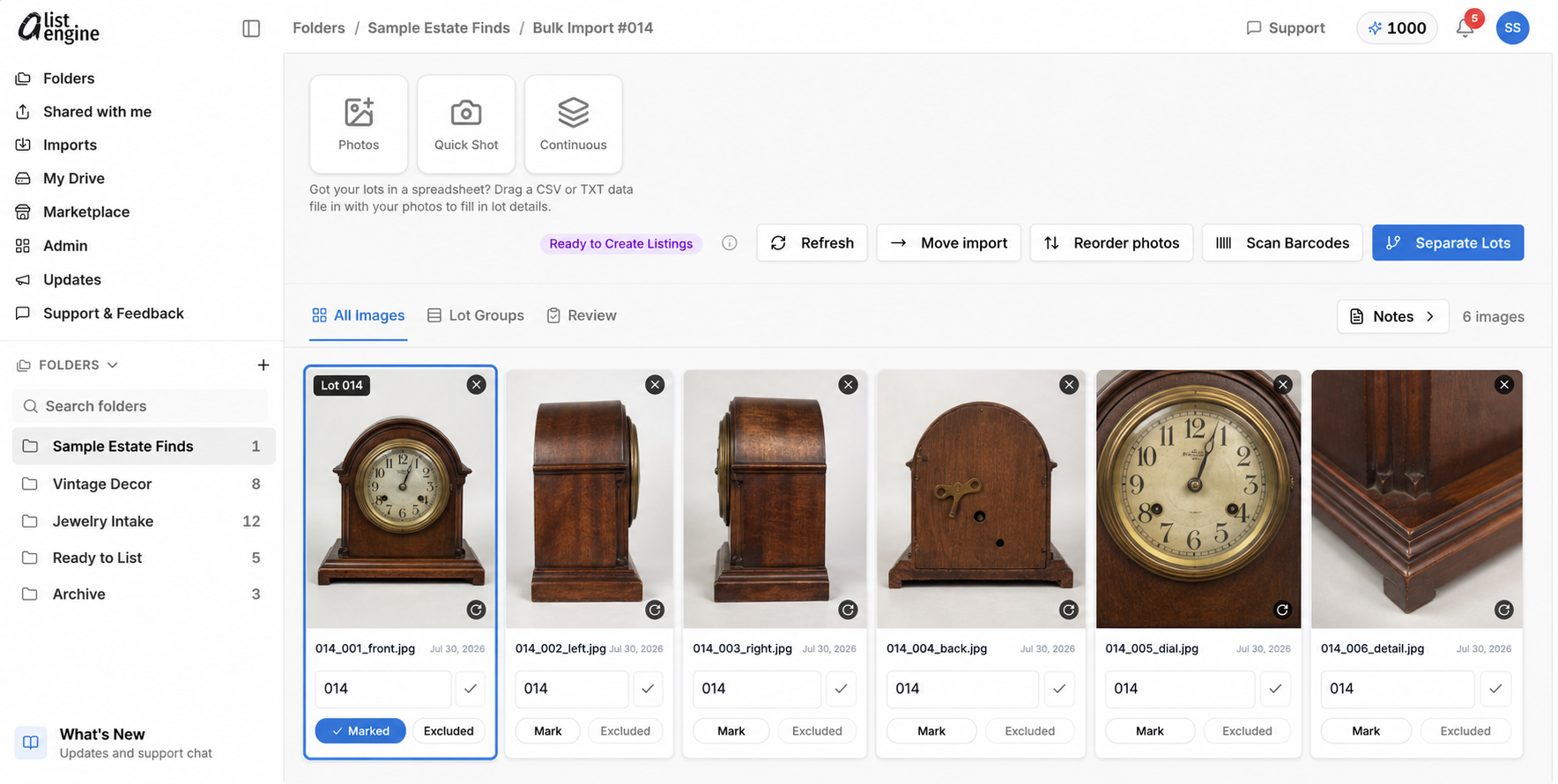
In the fictional Sample Estate Finds batch, group six views of the vintage mantel clock into Lot 014 before creating the draft. -
Step 02
Generate the listing queue
Create titles, descriptions, condition notes, item details, and pricing guidance, then verify every field and photo.
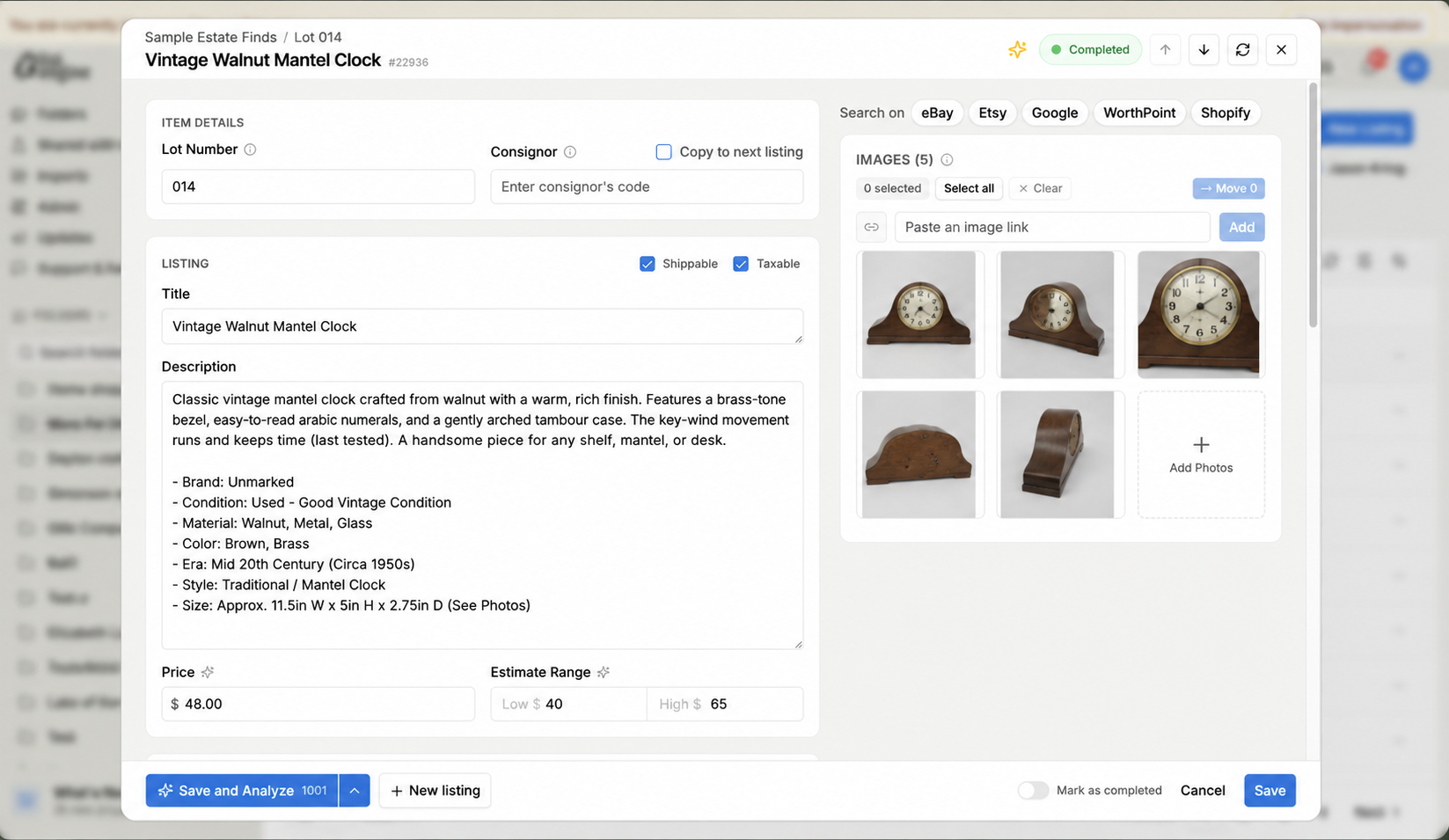
Review the fictional Lot 014 draft, source photos, condition details, and pricing guidance before export. -
Step 03
Export reviewed drafts
Download the supported marketplace format and complete the final import and publishing steps in the destination platform.
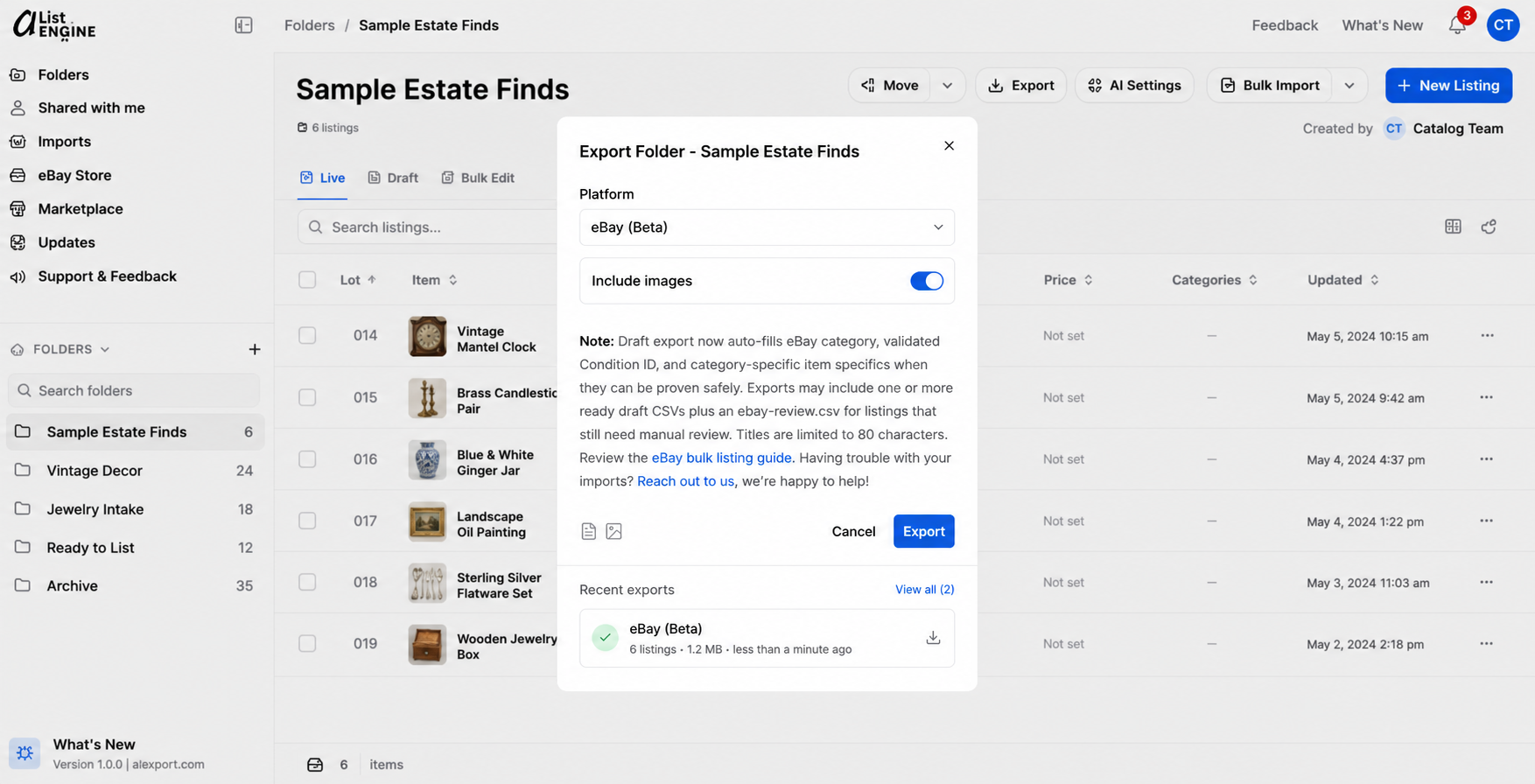
Choose eBay Beta for the reviewed folder, then download the ready draft CSVs and manually review any listings in the eBay review file.


Keep control of the final listing and destination.
Exports are files you import, not automatic publishing. Shopify imports as drafts, and the eBay Seller Hub draft CSV export is in beta. Review authenticity, condition, pricing, and channel requirements before a listing reaches buyers.
See export details






Questions from resellers
What does aListEngine generate from item photos?
It can draft a title, description, condition, item specifics, category, size, suggested price, estimate range, and AI Insights. Every field remains editable.
Is the pricing guidance based on live sold comparables?
No. Pricing is an AI estimate based on the photos and the model's knowledge. aListEngine shows reasoning and confidence so you can decide what to change before listing.
Can I organize different sourcing batches separately?
Yes. Folders act as workspaces for a haul, inventory group, or sales channel and hold the listings, imports, exports, collaborators, and activity together.
Does aListEngine publish directly to marketplaces?
No. It creates downloadable import files and image packages for supported destinations. Shopify exports import as drafts, and the eBay beta produces Seller Hub draft CSVs for review.
Which marketplace exports are available?
Marketplace-oriented exports include Shopify, EstateSales.NET, LiveAuctioneers, and eBay draft CSVs in beta, alongside the supported auction-platform formats. Platform names indicate compatibility, not endorsement or partnership.
Capture lots from your phone.
Included with every plan.
Photograph items on-site, group each lot as you go, and sync the batch into the same workspace your team reviews.
All download options

Ready to organize your next sourcing batch?
Start with a real batch of photos and see how quickly it becomes a reviewable listing queue.
Also built for auctioneers
Catalog high-volume sales from intake through export. For auctioneers